0one's Blueprints Hand Drawn: Demon's Hill Dungeon
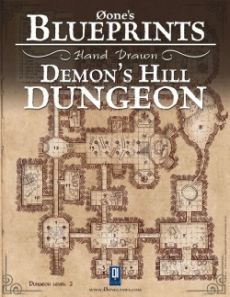 |
The Blueprints Hand Drawn product line offers you old-fashioned maps for using in your adventures and campaigns. These maps are skillfully hand-drawn. Despite their old fashioned appearance¸ each map offers you a degree of customization¸ using the pdf technology at its best. A button on the Master Control Panel allows you to turn on and off the grid¸ eliminate the room numbers¸ get the walls filled¸ don't show doors and furniture and many other options¸ depending from the nature of the map.
Each Blueprint Hand Drawn contains:
• Three beautifully hand-drawn fantasy maps
• Several room templates for adding your own descriptions
Features:
• Rule the Dungeon¸ allowing you to customize your map
- Numbers: toggle room numbers and text.
- Shadows: toggle furniture shadows.
- Furniture: toggle furniture.
- Doors: toggle doors
- Reference Grid: toggle a precise square grid.
- Floor: toggle floor design and decorations¸ if any
- Fill: toggle the fill and shadows in the walls.
- Key: toggle the key box
- Background: toggle the background from parchment to white
- All: toggle default state/empty state (with just the walls).
• Master Control Panel: allowing you to control all maps at once
• Six Presets for quick customization
• North Mark orientable
WARNING ADOBE ACROBAT DC USERS : you may have to add a trusted location for your blueprints file to make it work properly. To add trusted location go to Adobe Acrobat Preferences > Security (Enhanced) > In Privileged locations click "add file" and pick your Blueprint.
The Blueprints Hand Drawn product line offers you old-fashioned maps for using in your adventures and campaigns. These maps are skillfully hand-drawn. Despite their old fashioned appearance¸ each map offers you a degree of customization¸ using the pdf technology at its best. A button on the Master Control Panel allows you to turn on and off the grid¸ eliminate the room numbers¸ get the walls filled¸ don't show doors and furniture and many other options¸ depending from the nature of the map.
Each Blueprint Hand Drawn contains:
• Three beautifully hand-drawn fantasy maps
• Several room templates for adding your own descriptions
Features:
• Rule the Dungeon¸ allowing you to customize your map
- Numbers: toggle room numbers and text.
- Shadows: toggle furniture shadows.
- Furniture: toggle furniture.
- Doors: toggle doors
- Reference Grid: toggle a precise square grid.
- Floor: toggle floor design and decorations¸ if any
- Fill: toggle the fill and shadows in the walls.
- Key: toggle the key box
- Background: toggle the background from parchment to white
- All: toggle default state/empty state (with just the walls).
• Master Control Panel: allowing you to control all maps at once
• Six Presets for quick customization
• North Mark orientable
WARNING ADOBE ACROBAT DC USERS: you may have to add a trusted location for your blueprints file to make it work properly. To add trusted location go to Adobe Acrobat Preferences > Security (Enhanced) > In Privileged locations click "add file" and pick your Blueprint.